You Thought the App Store Was Safe. You Were Wrong.
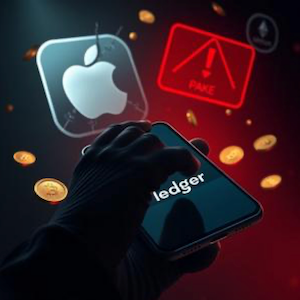
You check the reviews. You look at the developer name. You see the official-looking icon and assume Apple has your back. That assumption just cost a group of crypto holders $9.5 million. In early April 2026, a counterfeit version of Ledger Live sat comfortably in the Apple App Store, looked identical to the real thing, and waited patiently for users to hand over the keys to their digital vaults. For six days, it worked perfectly—for the thieves.
The Perfect Disguise
Here is the thing about trust. When you search “Ledger” in the App Store and see an application that mirrors the official interface pixel for pixel, your guard drops. This malicious app appeared on April 7, 2026, and it didn’t look malicious at all. It looked legitimate. It acted legitimate. And when users downloaded it to manage their hardware wallets, the app asked them to enter their 24-word recovery seed phrase during setup.
Wait. Stop right there. This is where the trap springs shut.
Legitimate hardware wallet software never, under any circumstances, asks for your seed phrase on a computer or mobile device. Never. Your seed phrase belongs exclusively on the secure screen of the hardware wallet itself. But thousands of downloads later, the psychology of familiarity won. Users typed in their words. Those words transmitted instantly to attackers thousands of miles away. And just like that, the hardware device in their drawer became an expensive paperweight.
Why Those 24 Words Are Everything
You need to understand what you are actually holding when you own cryptocurrency. Your seed phrase—those 12 or 24 words generated when you first set up your wallet—is not just a password. According to the BIP-39 standard, these words encode your wallet’s master private key. They are the mathematical root of every address you will ever use, on every blockchain you touch. Bitcoin, Ethereum, Solana, Tron, XRP—it does not matter. Possess those words, and you possess absolute control over every satoshi without ever touching the physical device.
This is why hardware wallets exist in the first place. They keep that seed phrase isolated from internet-connected devices. But the moment you type those words into a phone app, a website, or an email? You have bypassed every security layer. You have handed the vault key to strangers.
The Damage Spreads Across Blockchains
By April 13, 2026, Apple removed the fraudulent application. The app had survived roughly two weeks in the store, though Apple remained silent on how it passed their vaunted review process. Security researchers later reported that Apple allegedly blocked their attempts to analyze the malicious listing before the takedown. Too late. The thieves had already won.
The numbers are staggering. Over 50 identified victims lost at least $9.5 million collectively. The stolen assets spanned multiple blockchains: Bitcoin, Ether, Solana, Tron, and XRP. Musician Garrett “G. Love” Dutton publicly reported losing 5.92 BTC, valued at roughly $424,000, after entering his seed phrase into that fake interface. Other documented losses included $3.23 million in USDT, $2.079 million in USDC, 20.64 BTC, 211 stETH, and 70 ETH.
Blockchain analyst ZachXBT traced these stolen funds to more than 150 deposit addresses on the KuCoin exchange. The laundering pattern matched known services like “AudiA6,” indicating this was no amateur operation but an organized fund-mixing enterprise designed to wash crypto clean while victims still processed their shock.
Ledger Responds, But Questions Remain
Ledger’s Chief Technology Officer, issued a public warning that echoes what every security expert knows: Ledger will never request your 24-word seed phrase. He urged users to download software only from the official ledger.com site, bypassing app stores entirely. But this incident has intensified scrutiny on Ledger itself.
We at Hardwarewallet.org, do not list Ledger in its recommended hardware wallet comparison. The reasons are specific and troubling. Ledger’s firmware and companion software are closed-source, preventing independent community audits of the code running on your device. Ledger previously introduced a controversial “seed extraction” feature that enabled seed extraction by a 3rd party for recovery purpose—a design choice universally criticized for increasing attack surfaces. Combined with repeated phishing-related incidents, these factors led us to exclude Ledger entirely.
Instead, we list wallets with strong track records of security and transparency: Trezor, Coldcard, Blockstream Jade, Ngrave, and Keystone. Each of these devices features predominantly open-source implementations and multiple third-party audits. Open-source firmware allows the community to verify that no hidden backdoors exist, providing trust that closed-source alternatives like Ledger cannot match.
The Hard Lessons Nobody Wants to Learn
Recovery of the stolen cryptocurrency remains extremely unlikely. The funds moved rapidly through exchanges with limited screening, dispersed into the digital ether within hours. This reality has sparked discussion of a potential class-action lawsuit against Apple for allowing the malicious distribution, but legal action will not return those bitcoins.
So here is your critical line of defense: Never type your seed phrase into any app, website, or device that is not the hardware wallet itself. Customer support will never ask for it. Phone calls demanding it are scams. Emails requesting it are phishing. Even the most secure hardware wallet cannot protect funds if you voluntarily expose the seed phrase to a compromised device. An attacker who captures those words can recreate your entire wallet on their own hardware in seconds.
Protecting What Is Yours
The rules are simple but non-negotiable. Store your seed phrase offline, written on paper or metal, secured in a fireproof safe. Never photograph it. Never store it digitally. Never enter it into internet-connected devices. Verify app authenticity by downloading directly from manufacturer websites, not trusting app store search results. Double-check every URL. If an application asks for your seed phrase, close it immediately.
This attack demonstrates that user education on seed-phrase handling remains the most critical defense against phishing. Hardware provides the lock, but only you control who gets the key.
The Takeaway
You can buy the most expensive hardware wallet on the market. You can enable every security feature available. But if you type those 24 words into the wrong screen, you have given away your vault. Verify your sources. Guard your seed phrase like the generational wealth it represents. And remember—no app store badge, no matter how prestigious, replaces your own vigilance.