The Best Hardware Wallet for Bitcoin Cold Storage
Ranked by air-gap capability, open-source firmware, and Bitcoin-only focus.
- ✓Blockstream Jade is the best value at $79,-
- ✓Air-gapped signing eliminates all USB attack vectors.
- ✓Never buy a hardware wallet from Amazon or third-party resellers.
What Is a Hardware Wallet
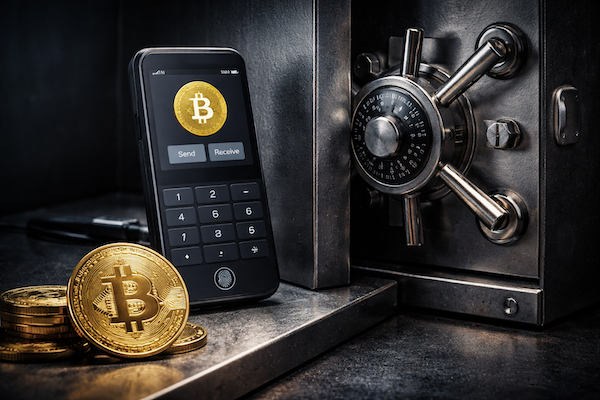
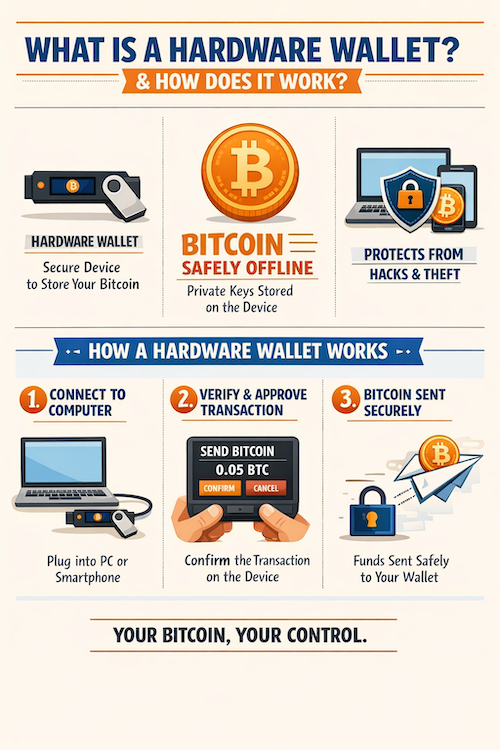
Every year, billions in Bitcoin vanish when exchanges collapse or freeze funds without warning. A hardware wallet is a physical device that stores your private keys offline, removing them from internet-connected systems that hackers target. Cold storage protects against the failures that destroyed Mt. Gox and Celsius, ensuring only you control access to your wealth.
How Hardware Wallets Secure Your Bitcoin
Hardware wallets contain secure element chips that generate and store private keys in isolated environments. These specialized chips prevent extraction of secret data even if attackers gain physical access.
When you authorize a transaction, the device signs it internally without exposing keys to your phone or computer. Unlike hot wallets that remain online and vulnerable, cold storage keeps your Bitcoin insulated from network-based attacks.
“Not your keys, not your coins”
— Bitcoin community proverb
- French Tax Authority Confirms Data Breach Affecting Hundreds of Thousands of Bitcoiners
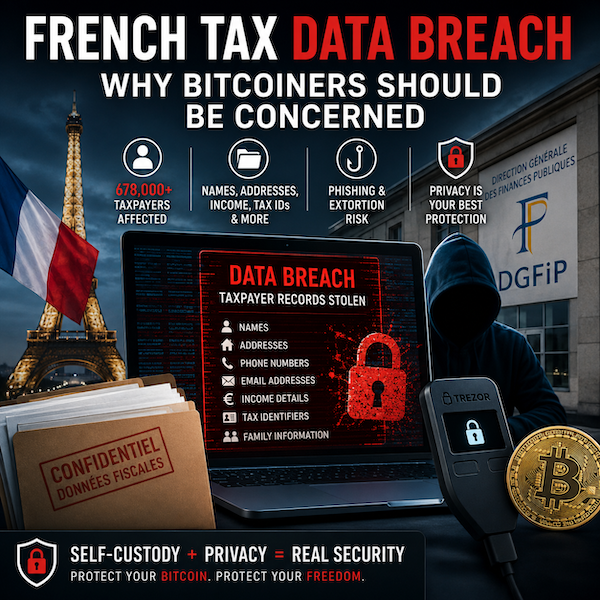 French Tax Authority Confirms Data Breach Affecting Hundreds of Thousands of Bitcoiners and Wealthy Taxpayers In June 2026, France’s tax authority DGFiP confirmed … Read more
 - Coldcard Hardware Wallet Vulnerability: Move Your Bitcoin Before Your Wallet Is Drained
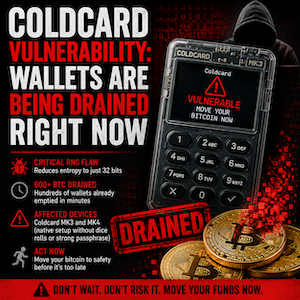 A critical flaw in Coldcard’s random number generation has already led to millions of dollars in stolen bitcoin. Learn which wallets are affected, … Read more
 - Apple Sued Again After Fake Bitcoin Wallet App Stole $1.8 Million
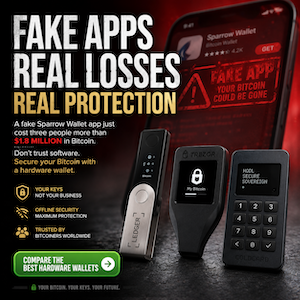 Just three months after the fake Ledger Live scandal, Apple is facing another lawsuit over a counterfeit Bitcoin wallet that allegedly passed App … Read more
Why You Need a Hardware Wallet
Millions learned the hard way why use a hardware wallet after exchanges collapsed and their bitcoin vanished forever.
Exchanges present a relentless danger to your savings. When you deposit bitcoin with a custodian, you surrender control of your private keys. History repeats this tragedy again and again—Mt. Gox lost 850,000 bitcoin in 2014. Celsius froze withdrawals before imploding. FTX stole customer funds. These are not exceptions; they are evidence that hardware wallet security matters. Taking bitcoin self-custody eliminates dependence on any company. No executive can freeze your account. No administrator can block withdrawals. You hold your keys, you control your wealth. Every exchange hack reinforces the same truth: not your keys, not your coins.
Hardware Security That Protects Your Wealth
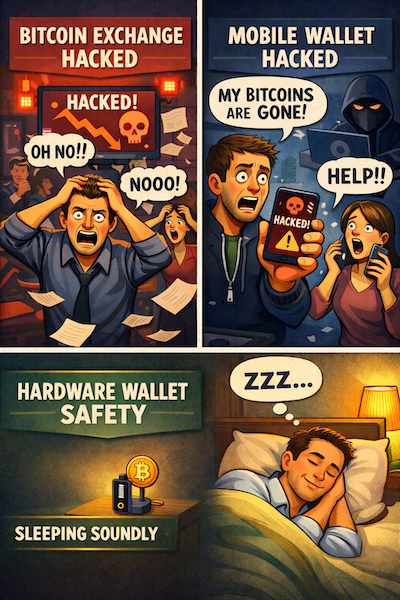
Hardware wallets isolate your private keys from internet connectivity. A secure element chip generates and stores keys in an environment no online attacker can reach. Physical transaction confirmation means you must press buttons on the device to authorize any movement of funds. Software wallets on phones and computers face constant malware risk. Cold storage benefits protect bitcoin by keeping signing operations entirely offline. This architecture ensures your wealth stays protected even if your computer is compromised.
“When the exchange collapses, the hardware wallet holder sleeps.”
— Bitcoin self-custody principle
How Hardware Wallets Protect Your Bitcoin
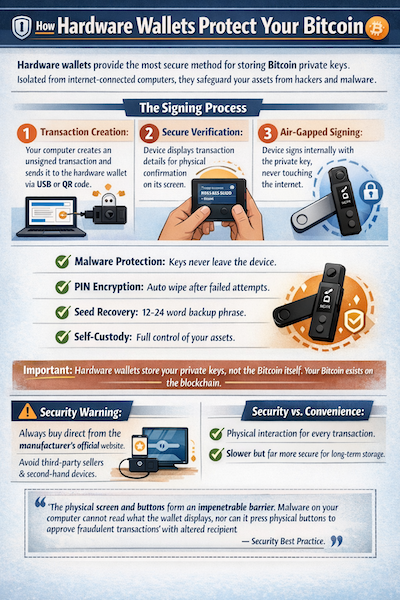
Hardware wallets provide the most secure method for storing Bitcoin private keys. These specialized devices keep your sensitive cryptographic material isolated from internet-connected computers, creating an impenetrable barrier against hackers and malware. By combining secure element technology with air-gapped operations, they ensure your assets remain safe even if your everyday computer becomes infected or stolen.
The Signing Process
Transaction Creation — Your computer creates an unsigned transaction and sends it to the hardware wallet via USB or QR code.
Secure Verification — The device displays transaction details on its own screen for physical confirmation using hardware buttons.
Air-Gapped Signing — The device signs internally with the private key, which never touches the internet or your computer.
✓ Malware Protection — Keys never leave the device, protecting against compromised computers attempting key theft.
✓ PIN Encryption — Device automatically wipes after multiple failed attempts, preventing brute-force attacks.
✓ Seed Recovery — Your 12 to 24 word backup phrase enables full asset recovery onto a replacement device.
✓ Self-Custody — Complete control without relying on third parties, utilizing secure element technology.
Important clarification: Hardware wallets store your private keys, not the Bitcoin itself. Your Bitcoin exists on the blockchain. The device stores the cryptographic secrets needed to authorize transactions, using HD wallet technology to generate addresses from a single seed.
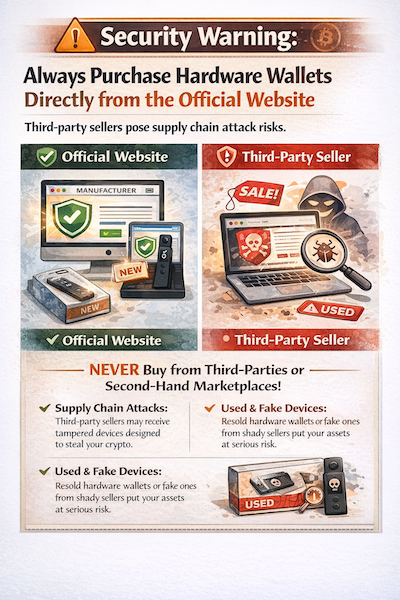
⚠ Security Warning: Always purchase hardware wallets directly from the manufacturer’s official website. Third-party sellers pose supply chain attack risks. Never buy second-hand devices, as tampered units could be designed to steal your funds.
Security versus Convenience: Physical interaction is required for every transaction, making hardware wallets slower than software alternatives. This trade-off delivers significantly greater protection for long-term cold storage.
“The physical screen and buttons form an impenetrable barrier. Malware on your computer cannot read what the wallet displays, nor can it press physical buttons to approve fraudulent transactions with altered recipient addresses. Physical verification remains your strongest defense against address manipulation attacks.”
— Security Best Practice
Compare The Best Hardware Wallet Brands
The brand behind your device matters as much as the specifications. Bitcoin cold storage demands rigorous security standards, and not all hardware wallet brands deliver. From air-gapped hardware wallet designs to firmware transparency, each manufacturer takes a different approach. The best bitcoin hardware wallet will align with your technical skills and threat model.
| Brand | Models | Bitcoin Only | Air-Gapped | Open Source | Price Range | Credibility Score | Best For | Action |
|---|---|---|---|---|---|---|---|---|
| Blockstream Jade | Jade / Jade Plus | ✓ | ✓ | ✓ | $79 to $179 |
★★★★★
4.4 |
Budget self-custody and beginners | See All Models |
| Trezor | Safe 3 / Safe 5 / Safe 7 | Optional | ✗ | ✓ | $79 to $299 | ★★★★★ 4.7 | Beginners and multi-coin holders | See All Models |
| Ngrave | Zero / Combo Pack | ✗ | ✓ | Partial | $398 to $498 | ★★★★★ 4.2 | Maximum security investors | See All Models |
| Keystone | Essential / Pro | ✗ | ✓ | ✓ | $99 to $149 | ★★★★★ 3.5 | Advanced users wanting touchscreen air-gap | See All Models |
All ratings sourced from our Credibility Score.
Hardware Wallet Credibility Score
Because different sources give very give a very different view on the ratings of hardware wallet businesses, we decided to create our own score by combining them all. This credibility ranking measures trustworthiness — not merely popularity or customer service. It combines security architecture, open source transparency, expert opinion, and community reputation into a single score.To come to our credibility score, we combined the data from the sources below.
Sources: Reddit • BitcoinTalk • Trustpilot • BTC Sessions • Open-Source Repositories
How the Credibility Score Is Calculated
| Factor | Weight | Why It Matters |
|---|---|---|
| Security Architecture | 30% | Most important for hardware wallets. |
| Open-Source Transparency | 20% | Verifiable code increases trust. |
| Expert Reviews | 20% | Security professionals and reviewers. |
| Community Reputation | 20% | Long-term user sentiment on Reddit BitcoinTalk and YouTube. |
| Company Track Record | 10% | Longevity and reliability. |
Sources include Reddit, Trustpilot, BitcoinTalk, YouTube expert reviewers including BTC Sessions and official security disclosures.
Coldcard — Coinkite
Top TierIncreases Credibility
- Bitcoin-only design smallest attack surface
- Dual secure elements from different vendors
- Fully air-gapped via microSD and NFC
- Highly respected by Bitcoin security experts globally
- Most recommended for multisig setups
- Popular in Reddit Bitcoin and BitcoinTalk
Lowers Credibility
- Steep learning curve not suitable for beginners
- Poor Trustpilot score from shipping complaints
- Bitcoin-only limits multi-coin holders
Most security-focused wallet favored by advanced users and Bitcoin maximalists.
Trezor — SatoshiLabs
Top TierIncreases Credibility
- Founded 2013 longest track record
- Fully open-source NDA-free firmware
- Largest verified Trustpilot score 4.6 from 1825 reviews
- World first hardware wallet inventor
- Strong community trust
- Best hardware wallet experts recommend for beginners
Lowers Credibility
- Not air-gapped requires USB connection
- Physical extraction attacks demonstrated
- Multi-coin focus less appealing to Bitcoin maximalists
Best balance of security usability and credibility across all user types.
Blockstream Jade — Blockstream
Very StrongIncreases Credibility
- 100% open-source hardware and firmware MIT license
- Air-gapped QR signing
- Backed by Blockstream founded by Adam Back and Pieter Wuille
- Best value Bitcoin-only wallet at $79
- Strong multisig support
Lowers Credibility
- Virtual secure element not traditional hardware chip
- Newer hardware wallet
- Smaller user base
- Low Trustpilot score reflects company complaints not product
Highly respected open-source Bitcoin wallet backed by Bitcoin infrastructure pioneers.
Ngrave Zero — NGRAVE
StrongIncreases Credibility
- Only financial product with EAL7 OS certification
- 100% air-gapped zero USB WiFi Bluetooth NFC
- Highest Trustpilot score 4.7
- Premium build quality
- Biometric fingerprint authentication
Lowers Credibility
- Founded 2018 newer company less battle-tested
- Smaller community adoption
- Not fully open-source
- Limited to 15 native coins
Premium security wallet with highest certification available but less proven over time.
Keystone – Former Cobo Vault
ModerateIncreases Credibility
- Air-gapped QR signing only
- EAL5+ secure element
- Good early reputation in Bitcoin community
- Durable touchscreen
- Bitcoin-only firmware available
Lowers Credibility
- Original product discontinued rebranded to Keystone creating confusion
- Smaller fragmented community
- Reduced development focus under original brand
- Fewer expert reviews
Technically capable wallet but declining relevance under original Cobo Vault name.
Final Credibility Ranking
| Rank | Wallet | Credibility Score |
|---|---|---|
| 🥇 | Coldcard | ★★★★★ 4.8 |
| 🥈 | Trezor | ★★★★★ 4.7 |
| 🥉 | Blockstream Jade | ★★★★★ 4.4 |
| 4 | Ngrave | ★★★★★ 4.2 |
| 5 | Keystone | ★★★★★ 3.5 |
Hardware Wallet Brand Reviews — Our Verdict on Each
Spec sheets lie. Real-world security depends on firmware architecture, supply chain integrity, and how a device performs under actual attack scenarios. Our reviews reflect hands-on testing, teardown analysis, and verified user feedback — not manufacturer marketing copy. This is what matters when your life savings are at stake.
Blockstream Jade — Best Value Bitcoin Wallet
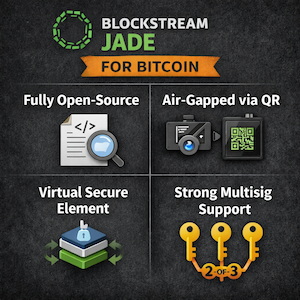
Best Budget PickJade delivers the most affordable Bitcoin-only hardware wallet at $79. Fully open-source under MIT license with transparent hardware design. The virtual secure element with blind oracle model provides cryptographic protection without proprietary chips. Air-gapped QR signing enables secure transactions. Blockstream, backed by Adam Back, provides institutional credibility. Excellent for beginners and budget-conscious self-custody users. Jade Plus adds a built-in camera and premium build quality for those seeking enhanced convenience.
Pros:
- ✓ Lowest price of any Bitcoin-only wallet at $79
- ✓ 100% open-source hardware and firmware MIT license
- ✓ Air-gapped QR signing available
- ✓ Bluetooth for mobile convenience
- ✓ Backed by Blockstream — a leading Bitcoin company
Cons:
- ✗ No traditional hardware secure element — virtual model only
- ✗ Trustpilot score 2.1 reflects company-level complaints not product quality
- ✗ Original Jade requires phone camera for QR
- ✗ Small 1.14 inch screen on base model
Trezor — The Beginners Choice Since 2013
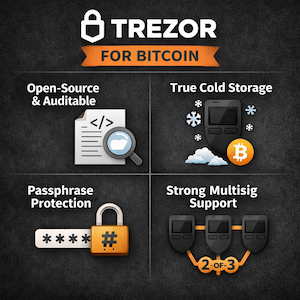
Best For BeginnersTrezor created the world’s first hardware wallet in 2013, founded by SatoshiLabs. EAL6+ secure element provides certified protection without NDA restrictions. The color touchscreen on Safe 5 delivers intuitive navigation. Support for 8000+ coins caters to diverse portfolios. Optional Bitcoin-only firmware addresses maximalist requirements. Not air-gapped — requires USB connection. Best for beginners and multi-coin holders seeking a proven track record and excellent customer support infrastructure.
Pros:
- ✓ World’s first hardware wallet — trusted since 2013
- ✓ EAL6+ open-source NDA-free secure element
- ✓ 4.6 out of 5 on Trustpilot from 1825 reviews
- ✓ Color touchscreen on Safe 5 — easy to use
- ✓ Optional Bitcoin-only firmware available
Cons:
- ✗ Not air-gapped — requires USB connection
- ✗ No iOS support for full functionality
- ✗ Multi-coin focus — less suitable for Bitcoin maximalists
- ✗ No Bluetooth on Safe 3 or Safe 5
Ngrave Zero — Maximum Security at Any Price
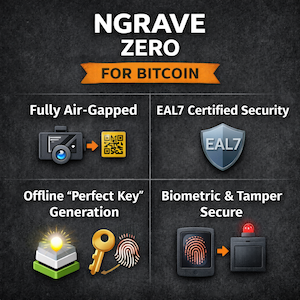
Highest Security RatingNgrave Zero stands as the only financial product worldwide with EAL7 OS certification. Belgian manufacturing ensures European quality standards. Fully air-gapped with zero connectivity options — no USB, WiFi, Bluetooth, or NFC. Biometric fingerprint authentication adds physical security layer. The 4-inch touchscreen delivers premium smartphone-like experience. At $398, the price tag is justified for serious investors with significant holdings. Limited to 15 native coins plus ERC-20 tokens — not designed for frequent traders. 4.7 out of 5 Trustpilot rating leads all five brands.
Pros:
- ✓ Only EAL7 certified hardware wallet in the world
- ✓ 100% air-gapped — zero USB WiFi Bluetooth NFC
- ✓ Biometric fingerprint authentication
- ✓ Premium 4-inch touchscreen — smartphone-like UX
- ✓ Highest Trustpilot score 4.7 of all five brands
Cons:
- ✗ $398 price tag — highest of all five brands
- ✗ Only 15 native coins — limited multi-chain support
- ✗ Not suitable for frequent traders
- ✗ Not fully open-source
- ✗ Battery not replaceable
Cobo Vault — Now Keystone — Touchscreen Air-Gap
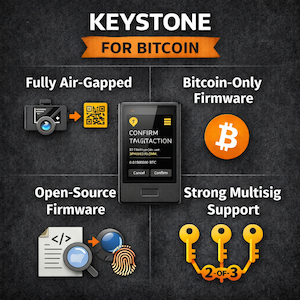
Best Touchscreen Air-GapCobo Vault rebranded to Keystone in 2021. The Keystone 3 Pro represents the current flagship with triple secure element chips for enhanced protection. Fully air-gapped QR-only communication eliminates network attack vectors. 4-inch touchscreen with fingerprint sensor delivers excellent usability. Support for 5500+ coins across 200 blockchains satisfies multi-chain investors. MetaMask compatibility enables DeFi integration. Bitcoin-only firmware option addresses purist requirements. Under $130 price point delivers excellent value. Some concerns exist regarding Hong Kong manufacturing. Best for multi-coin holders seeking air-gap security without paying Ngrave prices.
Pros:
- ✓ Triple secure element chips on Keystone 3 Pro
- ✓ Fully air-gapped — QR signing only
- ✓ 4-inch touchscreen — easiest to use of all five
- ✓ 5500+ coins across 200 blockchains
- ✓ Bitcoin-only firmware option available
Cons:
- ✗ Rebranded from Cobo Vault — confusing product history
- ✗ Manufactured in Hong Kong — supply chain concerns for some users
- ✗ No Bluetooth or USB data transfer — only QR
- ✗ QR scanning occasionally slow per user reports
- ✗ Too few Trustpilot reviews for reliable score
How to Choose the Right Hardware Wallet
Selecting the wrong hardware wallet is often worse than holding none at all. A device that exceeds your technical comfort will sit unused, while one too basic for your needs creates vulnerability. The perfect hardware wallet matches your specific requirements, technical ability, and the value you are protecting.
Bitcoin Only or Multi-Coin
If you hold only Bitcoin, choose Coldcard or Jade for a smaller attack surface. If you hold other digital assets alongside Bitcoin, Trezor or Keystone support multiple currencies effectively.
How Much Are You Protecting
Under $1,000, any reputable wallet works. Between $1,000 and $50,000, invest in a device with a certified secure element. Over $50,000, the premium cost of Coldcard or Ngrave becomes insignificant compared to what you are protecting.
Air-Gapped or USB
USB-connected wallets like Trezor offer convenience but add attack surface through your computer. Air-gapped wallets like Coldcard, Ngrave, and Keystone sign transactions via QR code or microSD with zero internet exposure.
Beginner or Advanced User
Beginners should start with Trezor Safe 5 or Jade. Coldcard and Ngrave reward technical users who invest time in proper setup. Choosing the wrong wallet for your skill level increases risk rather than improving security.
Open Source or Trust the Manufacturer
Open-source firmware means anyone can inspect the code for hidden backdoors. Coldcard, Jade, and Trezor all publish their complete source code. For Bitcoin self-custody, open source remains the gold standard for trust.
What Is Your Budget
Jade at $79 offers the same security architecture as wallets costing five times more. Coldcard MK5 at $158 is the Bitcoin maximalist standard. Trezor Safe 5 at $169 delivers the best touchscreen experience. Ngrave Zero at $398 provides the highest certified security available.
Our Quick Recommendation Guide
Bitcoin only under $100 — Blockstream Jade ($79)
Bitcoin only advanced user — Coldcard MK5 ($158)
Multi-coin beginner — Trezor Safe 3 ($79)
Maximum security no compromise — Ngrave Zero ($398)
How to Set Up a Hardware Wallet
The initial setup is the most critical moment in self custody. More Bitcoin has been lost through careless or rushed setups than through sophisticated attacks. Whether you are a beginner or experienced user, following these steps correctly protects your funds from theft, loss and human error. Learning how to set up a hardware wallet properly is the foundation of your Bitcoin cold storage setup.
Buy Direct From the Manufacturer
Never purchase from Amazon, eBay or third-party resellers. Supply chain attacks represent a real and documented threat. Compromised devices arrive pre-loaded with stolen seed phrases designed to drain wallets. Always order directly from the official manufacturer website to ensure device integrity.
Inspect the Packaging on Arrival
Verify all tamper-evident seals remain intact. Cross-reference the bag or box number against the device serial number. A transparent case enables visual confirmation that no hardware implants exist. If anything appears suspicious, contact the manufacturer immediately and do not proceed with device activation.
Generate Your Seed Phrase on the Device
The seed phrase must originate exclusively on the device hardware, never through a computer or mobile phone. The device generates entropy through onboard hardware randomness to produce a unique 12 or 24 word phrase. This sequence constitutes the master key accessing your entire Bitcoin holdings. Record it immediately upon screen display.
Write Down Your Seed Phrase on Paper
Document every word in the proper sequence on quality paper immediately. Never enter it into any phone, computer or cloud storage service. Never photograph the phrase. Store the backup in a fire-resistant location kept separate from the physical device. Consider upgrading to a steel backup plate for permanent long-term storage.
Test Your Backup Before Sending Any Bitcoin
Conduct a recovery test using a small amount before transferring significant funds to the wallet. Wipe the device completely and restore from your written seed phrase to verify the backup functions correctly. This preventive measure ensures you will not discover a critical error during an actual emergency.
Set a Strong PIN
Select a PIN that you can remember reliably but that remains impossible for others to guess. Most devices erase themselves or become unusable after a predetermined number of incorrect attempts. A robust PIN protects your assets even if an attacker physically steals the device. Never use birthdates or sequential number patterns.
Keep Your Firmware Updated
Firmware updates patch critical security vulnerabilities and maintain compatibility with evolving standards. Download firmware exclusively from the official manufacturer website or through the legitimate companion application. Verify the update authenticity before installation. Never upgrade firmware on a device already containing funds without first confirming your backup works perfectly.
Important: The seed phrase is not a password. It is the master key to your Bitcoin. Anyone who finds it can take everything. Store it offline, store it safely, and never share it with anyone including hardware wallet support teams.
Hardware Wallet Security Tips
Most hardware wallet thefts happen not through hacking the device but through user mistakes made after setup. Following these proven hardware wallet security tips will keep your Bitcoin in self-custody safe.
Never Store Your Seed Phrase Digitally
No photos. No cloud storage. No email. No password manager. No phone notes app. If your seed phrase touches a connected device, it is effectively online. Use paper or engraved steel only.
Store Device and Seed Phrase Separately
Keeping the device and seed phrase together means losing one means losing both. Store the seed phrase in a different physical location, ideally fireproof and waterproof—a safety deposit box or home safe.
Never Buy From Amazon or eBay
Supply chain attacks involve tampered devices with pre-recorded seed phrases waiting for funds to arrive. Third-party sellers have no accountability. Only buy directly from the manufacturer website.
Test Your Recovery Before Loading Funds
Wipe the device and restore from your seed phrase before sending any significant Bitcoin. This proves the backup works and you have written it correctly. Discovering an error during a crisis is too late.
Never Enter Your Seed Phrase on a Website
No legitimate hardware wallet support team will ever ask for your seed phrase. Any website requesting it is a phishing attack. The seed phrase is entered only on the physical device itself during recovery.
Verify Every Transaction on the Device Screen
Always check the recipient address and amount on the hardware wallet screen before confirming. Malware on your computer can silently replace the destination address at the moment of signing. What you see on the computer screen cannot be trusted.
Keep Firmware Updated Through Official Channels
Firmware updates patch known security vulnerabilities. Only update through the official companion app or manufacturer website. Never install firmware from links sent via email or social media.
Use a Passphrase for Large Holdings
A BIP39 passphrase acts as a 25th seed word creating an entirely separate hidden wallet. Even if your seed phrase is stolen, the passphrase makes it useless. Memorise it or store it separately from the seed phrase—never together.
- ✓Buy from official manufacturer store
- ✓Write seed phrase on paper immediately
- ✓Test recovery before loading funds
- ✓Keep firmware updated
- ✗Buy from Amazon or eBay
- ✗Store seed phrase on your phone
- ✗Share seed phrase with anyone
- ✗Keep device and seed in same location
Advanced Hardware Wallet Security
Standard hardware wallet setup protects against most threats, but serious Bitcoin holders go further. These three techniques are used by the most security-conscious self-custody practitioners and represent a meaningful upgrade over basic cold storage.
Multisig — Eliminate Every Single Point of Failure
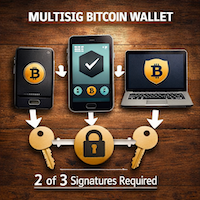
Multisig requires multiple hardware wallets to approve any transaction. A 2-of-3 setup means a thief needs two devices, not one. Losing one device does not lose your Bitcoin. Recommended by Bitcoin security experts like Jameson Lopp for significant holdings, it eliminates single point of failure completely.
Read More →Passphrase — Create a Hidden Wallet
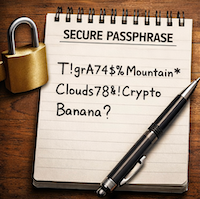
A BIP39 passphrase acts as a 25th word, creating an entirely separate hidden wallet from the same seed phrase. Even if your seed phrase is stolen, the passphrase makes it useless. Under duress you can reveal the seed phrase without revealing the hidden wallet. Supported by Coldcard, Trezor, Jade and all major hardware wallets.
Read More →Steel Backup — Your Seed Phrase Survives Anything
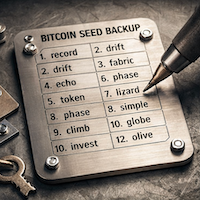
Paper seed phrase backups are destroyed by house fires, which reach 900 degrees Celsius. Steel backup plates like Billfodl and Cryptosteel survive temperatures above 1,200 degrees. Waterproof and corrosion-proof, the seed phrase is more important than the device itself, so the backup deserves the same protection.
Read More →Our Final Verdict
There is no single best hardware wallet for everyone — but there is a best one for your specific situation. The five wallets reviewed on this page represent the best in class for Bitcoin self-custody in 2026. This best hardware wallet verdict maps each winner to the buyer who deserves it most.
Blockstream Jade Plus — $149
The best balance of security, open-source transparency, air-gap capability, and price for the serious Bitcoin holder.
Jade Plus wins this hardware wallet recommendation because it brings fully open-source transparency with an MIT license, air-gapped QR signing via the built-in camera, and Bitcoin-only focus. Backed by Blockstream — a cornerstone Bitcoin company founded by Adam Back — it delivers everything a serious Bitcoiner needs without overpaying. This is the top hardware wallet ranked for most users entering self-custody in 2026.
See Jade Plus Models →Blockstream Jade — $79
The same security architecture as wallets costing five times more at the lowest price in the market.
The original Jade offers identical virtual secure element and air-gap capability to the Jade Plus. Fully open source and Bitcoin-only by design, this hardware wallet recommendation serves as the best entry point for anyone moving off an exchange for the first time. At $79, it brings professional-grade security within reach of every Bitcoin holder preparing for 2026.
See Jade Models →Trezor Safe 5 — $169
The most beginner-friendly hardware wallet ever made with a decade of proven reliability behind it.
Trezor stands as the world’s first hardware wallet company, founded in 2013. The Safe 5 features a color touchscreen with haptic feedback, while Trezor Suite delivers the easiest onboarding experience in the market. With 4.6 out of 5 on Trustpilot from 1,825 verified reviews and optional Bitcoin-only firmware, this is the best hardware wallet overall for newcomers seeking reliability and support.
See Trezor Models →Ngrave Zero — $398
The only financial product in the world with EAL7 security certification and the highest Trustpilot score of any hardware wallet brand.
Ngrave Zero holds EAL7 certification — the highest security rating of any consumer financial product globally. The device maintains 100% air-gapped status with no USB, WiFi, Bluetooth, or NFC. Biometric fingerprint authentication joins a premium 4-inch touchscreen. With 4.7 out of 5 on Trustpilot — the highest of all five brands — this best bitcoin wallet 2026 serves holders protecting significant wealth who demand uncompromising protection.
See Ngrave Zero →Whichever wallet you choose, the most important step is taking it seriously. Set it up correctly. Back up your seed phrase. Test your recovery. Keep your firmware updated. Self-custody is not complicated, but it demands discipline. The worst hardware wallet properly set up is infinitely safer than the best exchange. Take control of your Bitcoin.
Hardware Wallet FAQ
Hardware wallet FAQ — answers to the most common questions
Is a hardware wallet worth it?
For any holdings above $500, the device cost is trivial compared to exchange hack risk. Bybit lost $1.5 billion in a single attack in 2025. The question is not whether you can afford a hardware wallet, but whether you can afford not to have one.
What happens if I lose my hardware wallet?
Your Bitcoin is not stored on the device — it lives on the blockchain. The hardware wallet only stores the private key. Anyone with your seed phrase can restore the wallet on any compatible device. This is why backing up and securing the seed phrase is more important than protecting the device itself.
Can a hardware wallet be hacked?
No remote hack has ever successfully extracted funds from a properly set up hardware wallet. The private key never leaves the device. The only documented attack vectors are physical access to an unprotected device, or theft of the seed phrase. The device protects you from online attacks, but not from your own mistakes.
What is the difference between a hardware wallet and an exchange?
An exchange holds your private keys on your behalf, meaning they control your Bitcoin. A hardware wallet gives you direct control of your own keys. FTX, Celsius, and Mt Gox all collapsed while holding customer funds. Not your keys, not your coins is not a slogan — it is a documented financial reality.
How many hardware wallets do I need?
One hardware wallet is sufficient for most users. Serious holders with significant amounts often use two devices from different manufacturers as a backup. Multisignature setups requiring multiple devices to approve transactions add another layer of protection for very large holdings.
Can I store Bitcoin and other coins on the same hardware wallet?
Yes, on multi-coin wallets like Trezor and Keystone. No, on Bitcoin-only devices like Coldcard and Jade, which deliberately restrict to Bitcoin for a smaller attack surface. If you only hold Bitcoin, a Bitcoin-only device is the more secure choice.
What is a seed phrase and why does it matter?
The seed phrase is 12 or 24 words generated when you set up the wallet. It is the master key that can recreate your entire wallet on any compatible device. Losing it permanently means losing access to your Bitcoin forever. Securing the seed phrase is the single most important responsibility of self-custody.
Should I tell anyone about my hardware wallet?
No. Disclosing that you hold significant Bitcoin creates physical security risk. A hardware wallet protects against remote attacks, but not against someone who knows you have Bitcoin and gains physical access. Operational security means treating your Bitcoin holdings like cash under the mattress — privately and quietly.