Your seed phrase is stolen. Someone rifle through your safe, photographed your backup, or tricked you into revealing those 24 precious words. Your heart sinks. Then you remember—you added that extra word. The one no one knew about. The one that isn’t on any wordlist. Suddenly, the thief is staring at an empty wallet while your real Bitcoin sits safely behind a passphrase they will never guess.
This is the hidden wallet. And if you’re not using one, you’re leaving your financial sovereignty incomplete.
What Is a Hidden Wallet, Really?
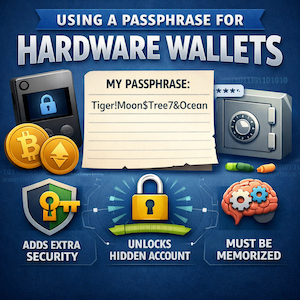
A BIP39 passphrase acts as an optional extra layer you bolt onto your seed phrase. Think of it as the 25th word on a 24-word seed, or the 13th word on a 12-word seed. But here’s the critical difference: unlike your seed words, which come from a fixed list of 2,048 BIP39 words, a passphrase can be anything. Letters, numbers, symbols, spaces between words—”ILoveBitcoin2024!” or “my-secret-stash-#9” or even a string of emojis. The possibilities are essentially limitless.
When you combine your seed phrase with a passphrase, you don’t merely modify your existing wallet. You generate an entirely new, distinct wallet with completely different private keys and Bitcoin addresses. One seed phrase plus different passphrases equals unlimited separate wallets. Your original seed without any passphrase becomes the “decoy” wallet. With a passphrase active, you enter the “hidden” wallet.
Every single passphrase input generates a valid wallet. Type “Bitcoin” with a capital B? One wallet. “bitcoin” lowercase? A completely different wallet. Add an extra space at the end? Another wallet entirely. There are no error messages for “wrong” passphrases. A typo simply opens a different, empty wallet. This makes verification crucial—you must check your wallet fingerprint, an 8-character identifier, to confirm you’ve entered the correct passphrase.
Why Passphrases Change Everything for Bitcoin Security
The primary benefit is brutally simple: even if an attacker obtains your seed phrase, without the passphrase, they access only the decoy wallet. Your real funds remain invisible, secured behind a secret that never touches the internet, never sits on a server, and never gets stored on your hardware device itself.
This creates what’s known as plausible deniability. Under duress—imagine the dreaded “$5 wrench attack” where someone physically forces you to open your wallet—you can reveal the decoy wallet containing a small balance. The real fortune stays hidden in the passphrase-protected wallet. The attackers see a wallet. They see funds. They leave. Your wealth remains untouched.
But here’s the sobering reality: losing your passphrase means permanent, irrecoverable loss of funds. Even with your seed phrase intact, if you forget that extra word or phrase, your Bitcoin is gone forever. No customer support. No reset button. No recovery option. This is why backing up your passphrase on metal, storing it in a separate physical location from your seed, and never keeping it digitally is absolutely critical.
How the Top Hardware Wallets Handle Passphrases
Trezor: The Entry Point
On Trezor devices—the Safe 3, Safe 5, Safe 7, and Model T—you can enter your passphrase either through Trezor Suite on your computer or directly on the device using the touchscreen or buttons. The older Model One only supports computer entry. Trezor supports passphrases up to 50 ASCII characters, and the feature comes disabled by default. You must manually enable it in Trezor Suite settings.
A critical behavior: mistyping your passphrase on Trezor silently generates a new empty hidden wallet. No error message appears. This is why verifying your wallet fingerprint before sending transactions is non-negotiable.
Coldcard: The Power User’s Choice
Coldcard approaches passphrases with maximum flexibility. You can save your passphrase to a MicroSD card, where it gets encrypted with AES-256 and tied specifically to that card’s serial number. Alternatively, enter it via the device’s physical keypad or a command-line tool. Coldcard’s implementation can generate approximately 5.9 × 10¹⁹⁷ different wallets from a single seed—making brute-force attacks mathematically impossible within the lifetime of the universe.
Importantly, Coldcard does not store passphrases in device backups. Your backup files capture only the original seed, not the extended private key created by the passphrase.
Blockstream Jade: Balancing Security and Convenience
Blockstream Jade uses the standard BIP39 passphrase implementation but adds thoughtful usability features. You choose when the device prompts you: “Never,” “Once” (for the next login only), or “Always.” The “Once” option cleverly hides the fact that you use a passphrase at all, adding another layer of deniability.
Jade offers two entry methods. “Manual” lets you input character-by-character using an on-screen keyboard. “WordList” uses BIP39 words with autocomplete, building passphrases in the format: lowercase word plus space plus lowercase word. Like other devices, Jade displays a wallet fingerprint in the lower right corner to verify you’re accessing the correct hidden wallet.
Ngrave Zero: Maximum Character Limit, Maximum Security
Ngrave Zero supports passphrases between 1 and 512 characters—the longest limit of any major hardware wallet. It accepts all ASCII printable characters except the grave accent (`). You access passphrase wallets through Settings > Passphrase, and a green icon in the top left of the dashboard indicates when a passphrase wallet is active.
Security here is session-based. Ngrave Zero holds the passphrase only in its Secure Element for the duration of your session, encrypted. When the device enters standby or powers off, the passphrase wipes automatically. The device carries the world’s only EAL7 OS security certification—the highest of any consumer financial product. Through the LIQUID app, you can even sync and manage multiple passphrase wallets simultaneously.
Keystone 3 Pro: Air-Gapped and Aggressive
Keystone 3 Pro supports standard BIP39 passphrases and maintains compatibility with passphrases from wallets like Trezor and Ledger. Setup requires fingerprint or password authentication through Settings > Passphrase Wallet.
Keystone takes a hardcore approach to storage: it never stores the passphrase. Every restart reverts the device to the default no-passphrase wallet. For convenience, a “Passphrase Quick Access” shortcut on the lock screen speeds up re-entry. The device uses three secure element chips from different vendors and communicates exclusively via QR codes—fully air-gapped and resistant to USB or Bluetooth attacks.
The Bottom Line
Using a passphrase is an advanced feature. It adds complexity, and complexity increases the risk of self-inflicted loss. But for those who understand the mechanics—who back up their passphrase on metal plates, store them separately from seeds, and verify fingerprints before every transaction—a hidden wallet provides security that borders on magical.
Your seed phrase guards the door. Your passphrase makes the vault invisible. Choose your 25th word wisely. Then sleep soundly.